




Here’s how to keep your clinic and clients safe.
Heads up: We have seen a sharp rise in social media scams targeting veterinary clinic Facebook pages. If your team manages your clinic’s social accounts, please share this with them right away.
A wave of scams is making the rounds on veterinary clinic Facebook pages, and we want to make sure your team knows exactly what to look for and how to respond. These fraudsters are clever, opportunistic, and unfortunately pretty convincing at first glance. Here is what is happening and how to protect your practice.
How the scam works
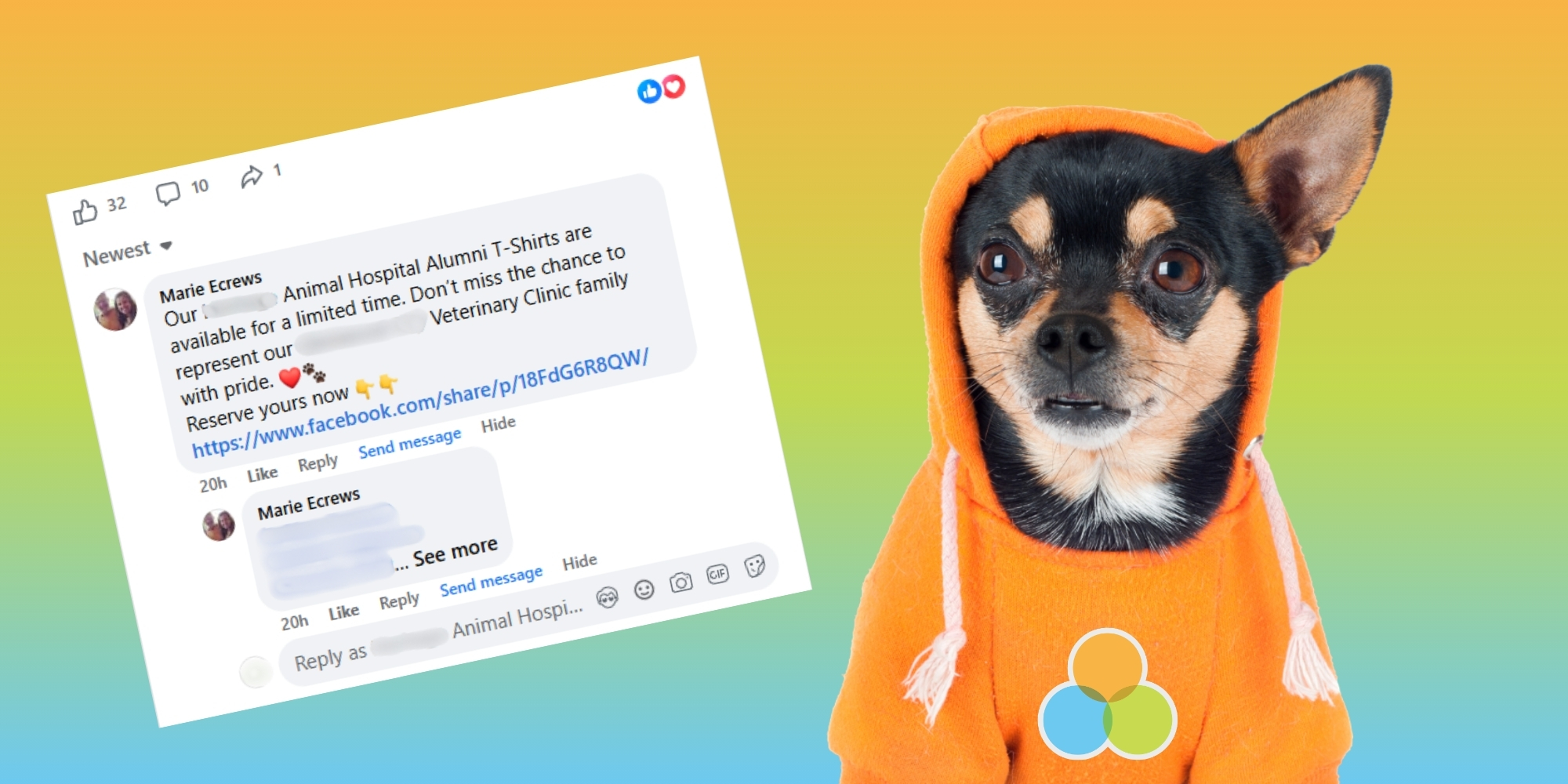
Scammers look for posts on your Facebook page that have received a lot of likes and comments, such as a heartwarming patient story, a seasonal promotion, or a milestone announcement. These posts have a built-in audience, which is exactly what the scammer is looking for.
Once they find a high-engagement post, they leave a comment on it advertising branded merchandise, usually t-shirts, and include a link to purchase. To make the comment look more credible, they will often tag several of the people who liked or commented on the original post, essentially sending a personalized notification to potential victims.
These accounts are almost never new fake profiles. More commonly, scammers have hijacked a real person’s Facebook account, giving their activity an air of legitimacy. The comment may appear to come from someone who looks like a real community member or even a familiar face.
Why this matters for your reputation: If a client sees the comment, clicks the link, and makes a purchase, they may blame your clinic when the merchandise never arrives or their payment information is compromised. Even though your practice is the victim too, the association can damage trust.
What to do if it happens to your page
Act quickly. The sooner the comment is removed, the less exposure your clients have to it. Here are the steps to take:
Get ahead of it: Set up keyword filters in Meta Business Suite
One of the most effective ways to prevent these comments from ever going live is to set up a keyword blocklist through Meta Business Suite. When a comment contains a blocked word, Meta will automatically hide it from your page before anyone sees it.
Here is how to do it:
Suggested keywords to block: Consider adding words like tshirt, t-shirt, reserve, order, limited edition, link in bio, DM us, and shop now. Use your own judgment, as you know your page best. Be thoughtful about which terms might create false positives.
Additional steps to protect your page
Questions or concerns about social media security for your practice? Connect with Laura! [email protected]